
Dynamics 365 HR to Workday Data Migration
Moving from Dynamics 365 Human Resources to Workday? Mine automates the mapping between D365's Dataverse-based HR model and Workday's worker-centric architecture.
Working with enterprise teams on active migration programs
4–8 weeks
to production-ready mappings
40–50%
cost reduction vs. manual migration
90%+
average mapping confidence
Most enterprise migrations start 6+ months behind schedule. Yours doesn't have to.
This guide is for VPs of IT, data architects, and migration leads at companies moving data from Microsoft Dynamics 365 HR to Workday — whether you're scoping, planning, or mid-program.
Dynamics 365 Human Resources stores worker data in Dataverse entities (HcmWorker, HcmPosition, HcmJob) with the global address book for contacts, while Workday uses a unified worker record with effective-dated business processes. Mine translates D365's entity-based HR model to Workday's event-driven architecture automatically.
Based on enterprise migration programs led by Mine's founding team
Last updated March 2026
How Mine automates your Microsoft Dynamics 365 HR to Workday migration
Mine maps D365 Dataverse HR entities to Workday worker objects — HcmWorker to Worker, HcmPosition to Position, HcmEmployment to Staffing Events — with effective date translation between the two models.
Global address book data is filtered to extract only HR-relevant addresses and contacts, then mapped to Workday's worker contact model.
Compensation and benefits enrollment data is translated between D365's entity model and Workday's plan-election framework with plan mapping tables generated automatically.
Leave balances are calculated as of cutover date with accrual reconciliation — ensuring no employee loses time off during the transition.
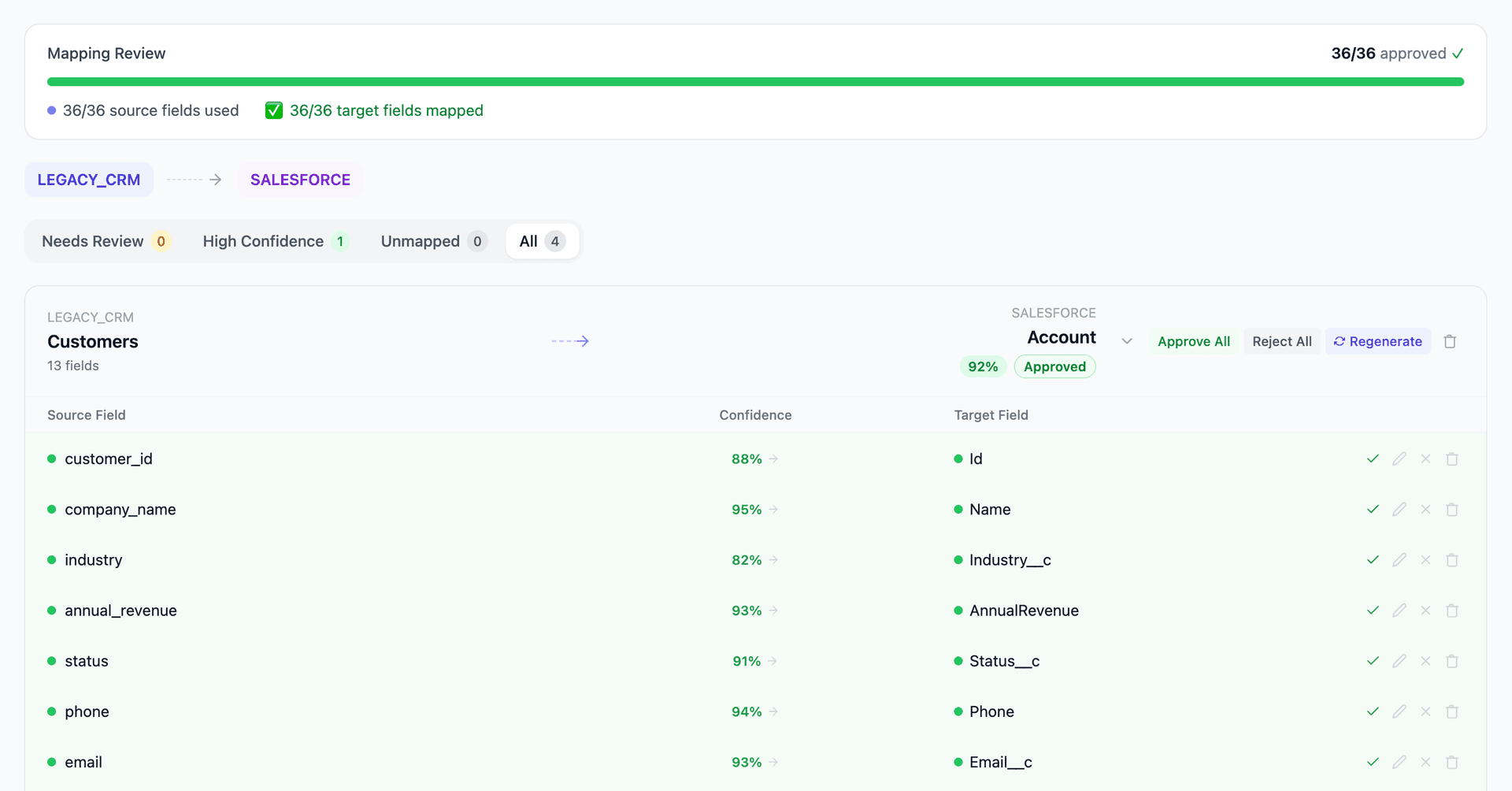
Get your Microsoft Dynamics 365 HR to Workday mapping analysis — see results in under an hour
Migration timeline: manual vs. Mine
Traditional approach
Timeline
6–12 months
Estimated cost
$500K–2M
Team size
4–8 consultants
Typically requires
×Manual field mapping in spreadsheets
×Custom ABAP/SQL extraction scripts
×3–5 mock migration cycles
×Dedicated source system consultants
×Manual reconciliation testing
With Mine
Enterprise benchmarksTimeline
4–8 weeks
Team size
1–2 internal resources
Estimated cost
40–50% less
Included
✓Schema profiling & analysis
✓AI-generated field mappings
✓Transformation SQL
✓Validation & readiness reports
✓Production-ready load files
Common challenges migrating from Microsoft Dynamics 365 HR to Workday
D365 Dataverse entities to Workday worker model
D365 HR uses Dataverse entities (HcmWorker, HcmEmployment, HcmPositionWorkerAssignment) with effective-dated records. Workday uses a different effective-dating model within business processes. The entity-to-worker translation must preserve employment history while restructuring the data into Workday's event-based timeline.
Explore related migrations →Global address book to Workday contacts
D365 uses a global address book (DirPartyTable, LogisticsPostalAddress, LogisticsElectronicAddress) shared across HR, finance, and operations. Workday has its own worker contact model. Extracting HR-relevant address data from D365's shared model requires filtering out non-HR party records.
Explore related migrations →Benefits enrollment translation
D365 HR benefits enrollment data (HcmBenefitPlan, HcmWorkerEnrollment) uses a different plan and enrollment model than Workday's benefit election framework. Plan types, coverage levels, and dependent enrollment rules must be mapped between the platforms.
Explore related migrations →Leave and absence model differences
D365 HR tracks leave through leave plans, leave types, and leave balances with accrual rules. Workday uses absence plans with different accrual calculation methods. Leave balance carryover during migration requires careful point-in-time calculation to ensure employees don't lose accrued time off.
Explore related migrations →Microsoft Dynamics 365 HR to Workday field mapping — what data moves
10 data objects typically migrated
| Source Object | → | Target Object |
|---|---|---|
| HcmWorker | → | Worker |
| HcmPosition | → | Position |
| HcmJob | → | Job Profile |
| HcmCompFixedPlan | → | Compensation Plan |
| HcmWorkerEnrollment | → | Benefit Election |
| HcmEmployment | → | Staffing Event |
| DirPartyTable (addresses) | → | Worker Address |
| HcmLeaveBalance | → | Time Off Balance |
| HcmDepartment | → | Supervisory Organization |
| HcmPersonSkill | → | Worker Skill |
Typical enterprise migrations include 500K–10M+ records across these objects. Mine handles profiling and mapping at any scale.
The cost of manual Microsoft Dynamics 365 HR to Workday migration
Companies typically manage this migration with HR consulting firms, using D365 data entities for extraction and Workday's Enterprise Interface Builder (EIB) for loading. The structural translation and validation work is where most of the effort goes.
Frequently asked questions
Related migration paths
In one enterprise migration, a single field mapping error in customer master data caused $100K in billing discrepancies that went undetected for 6 months.
Mine catches these issues before they reach production.
Built by a team that led SAP, Oracle, and Salesforce data migration programs for Fortune 500 companies at a Big 4 consulting firm. Currently in design partnership with enterprise clients running active migration programs.
Ready to migrate from Microsoft Dynamics 365 HR to Workday?
Tell us about your migration and we'll show you how Mine can help.
No commitment required. We'll review your migration scope and share a preliminary assessment within 48 hours.
You'll receive a preliminary mapping analysis showing how your source objects map to your target schema, with confidence scores and flagged risk areas.